
Docking
Range to port
Closing rate
Above the axis
Right of the axis
Lateral rates, up / right m/s
Rates °/s, pitch yaw roll
Pitch error, nose up
Yaw error, nose right
Roll error, right
Propellant
Mission time
Time warp
Rendezvous and docking
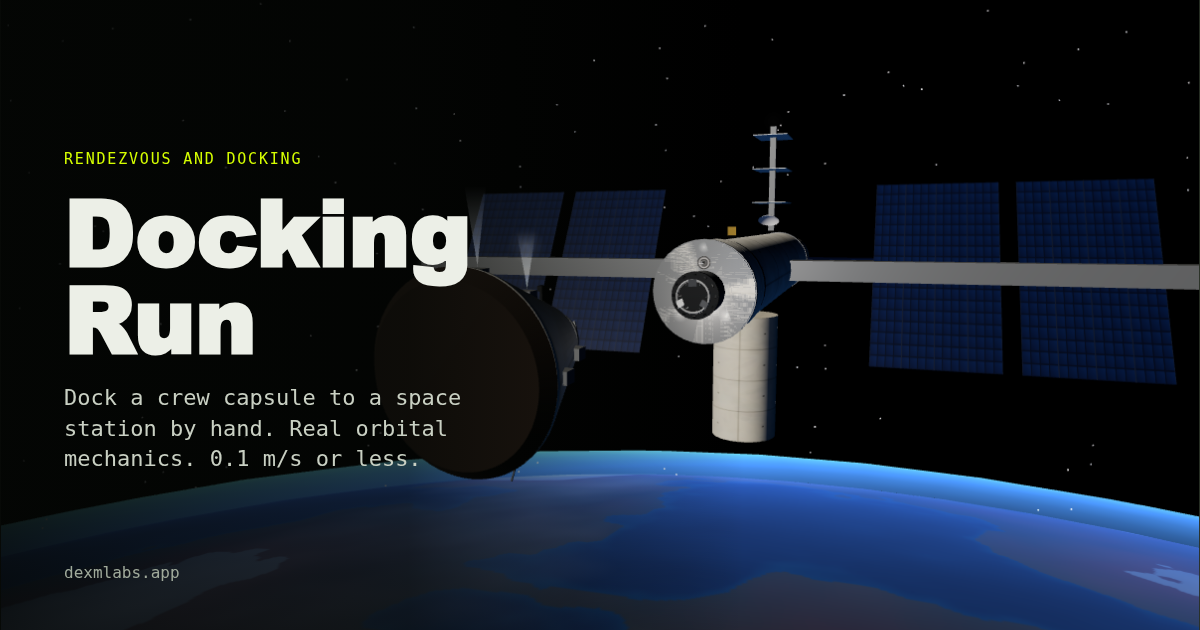
Fly a crew capsule onto a space station's docking port, by hand. Twenty thrusters at their real positions, a rigid body that keeps turning once it starts, and orbital mechanics that make every burn do something slightly unexpected.
Touch the ring at 3 to 10 centimetres a second, within 10 cm of the centreline and 4° of alignment, and the latches catch you. Any faster and you bounce or break something.
Daily Drop · same run for everyone, every UK day
Translate
Rotate
Translation moves the whole capsule along its own axes; rotation turns it. Both keep going until you stop them. The station's port is ahead along the docking camera's line of sight.
This game needs WebGL, and this browser didn't give it one. Try another browser, or switch on hardware acceleration.
Your Daily Drop card
You start on the V-bar, the line through the station along its orbit, with the station's docking port facing you. Point your nose down the port's axis, get onto the centreline, and close slowly. The docking camera looks along your docking axis from a short boom, with a fixed reticle. The station has a target on a standoff: when the white cross sits in the middle of the ring behind it, you're lined up both in position and in angle. If the cross looks off to one side of the ring you are tilted, not just offset. The lime diamond marks the cross so you can find it from far out and at night.
Translate and rotate are separate, as on real spacecraft. W, S, A, D, R and F slide the capsule along its own axes without turning it, as long as you aren't turned already. I, K, J and L, or the arrow keys, pitch and yaw. U and O, or Q and E, roll. Nothing in space stops a rotation: tap a key and the capsule keeps turning until you tap the other way. Kill rotation (H) fires the thrusters for you to hold your attitude relative to the station whenever you aren't commanding a turn. It's honest about propellant.
The capsule is a rigid body of about 7 tonnes, with a full inertia tensor, including small products of inertia, and a centre of mass a few centimetres off its axis. Its twenty thrusters sit in two rings at real positions on the hull, each with a direction. Every thrust makes a force and a torque about the centre of mass, so a pure translation burn also turns you slightly, and so does a long one. Rotation follows Euler's equations, so a spin about an awkward axis wobbles while its angular momentum stays fixed. The primary jets give 130 newtons and the fine vernier jets 26, burning propellant at a specific impulse of 290 seconds.
Relative motion near the station follows the Clohessy-Wiltshire, or Hill, equations for a circular orbit at 400 km, where one orbit takes about 92 minutes (n ≈ 0.00113 rad/s). They are why docking feels backwards. Burn toward a station ahead of you and the Coriolis term bends your path downward. Burn up, away from Earth, and you end up behind. A point on the V-bar is a free parking spot, while 30 m below the station you slowly drift forward and fall away. The Hill plot in the corner shows the next 45 minutes if you stopped thrusting. The station flies in local vertical, local horizontal hold, so it turns once an orbit, as do the sun, the stars and the ground beneath you.
Final approach starts 30 m out, a little off the axis and crooked. 200 m approach starts further out and drifting, so the orbital mechanics shows. Spinning station has lost attitude control and spins at 1°/s about its long axis with a slow wobble: match its roll, then fly into a port that keeps moving. Far rendezvous starts 2 km ahead and 120 m above the station on a slightly higher, slower orbit, drifting back toward it. Use time warp, up to 100× while you're far out, and come down onto the axis. Night pass happens in Earth's shadow, with only the station's lights, your floodlight and the numbers.
There are two difficulties. Pilot, the default, uses the same physics with a forgiving capture ring (up to 0.25 m/s, 0.3 m off the centreline and 10° out), 60% more propellant, kill rotation switched on, and the orbital drift turned down on the first three runs. It also draws a glowing approach corridor, a closing speed gauge and arrows for the keys to press. Realistic uses the real limits below and full orbital mechanics everywhere. The Daily Drop is always flown in Pilot. Start with First docking: ten metres out, lined up, just drift in.
At first contact with the soft capture ring you need a closing rate between 0.03 and 0.1 m/s, less than 0.1 m off the centreline, less than 4° of misalignment and roll, rates under 0.4°/s and sideways sliding under 0.04 m/s. Then the latches catch, the ring damps out what's left, retracts and pulls you in, and twelve hooks close for hard capture. Too slow and the latches don't trip, slightly off and the ring's springs push you back out, too hard and you've damaged the port.
A docking scores up to 250 for closing rate (best at 0.065 m/s), 250 for centreline, 200 for alignment and roll, 100 for rates, 250 for propellant left and 200 for time, less 100 for every bounce. Your best for each run is kept in this browser.
I'm Arthur. I'm not an astronaut or an engineer, just someone who has watched a lot of docking footage. The capsule and station are my own designs with realistic numbers, and the game has no connection with any space agency or company. If you know better, email me. If you like this, try Apollo and Orbit.
One email when a new game is out. Nothing else.